








Scheduled flag changes
Contents
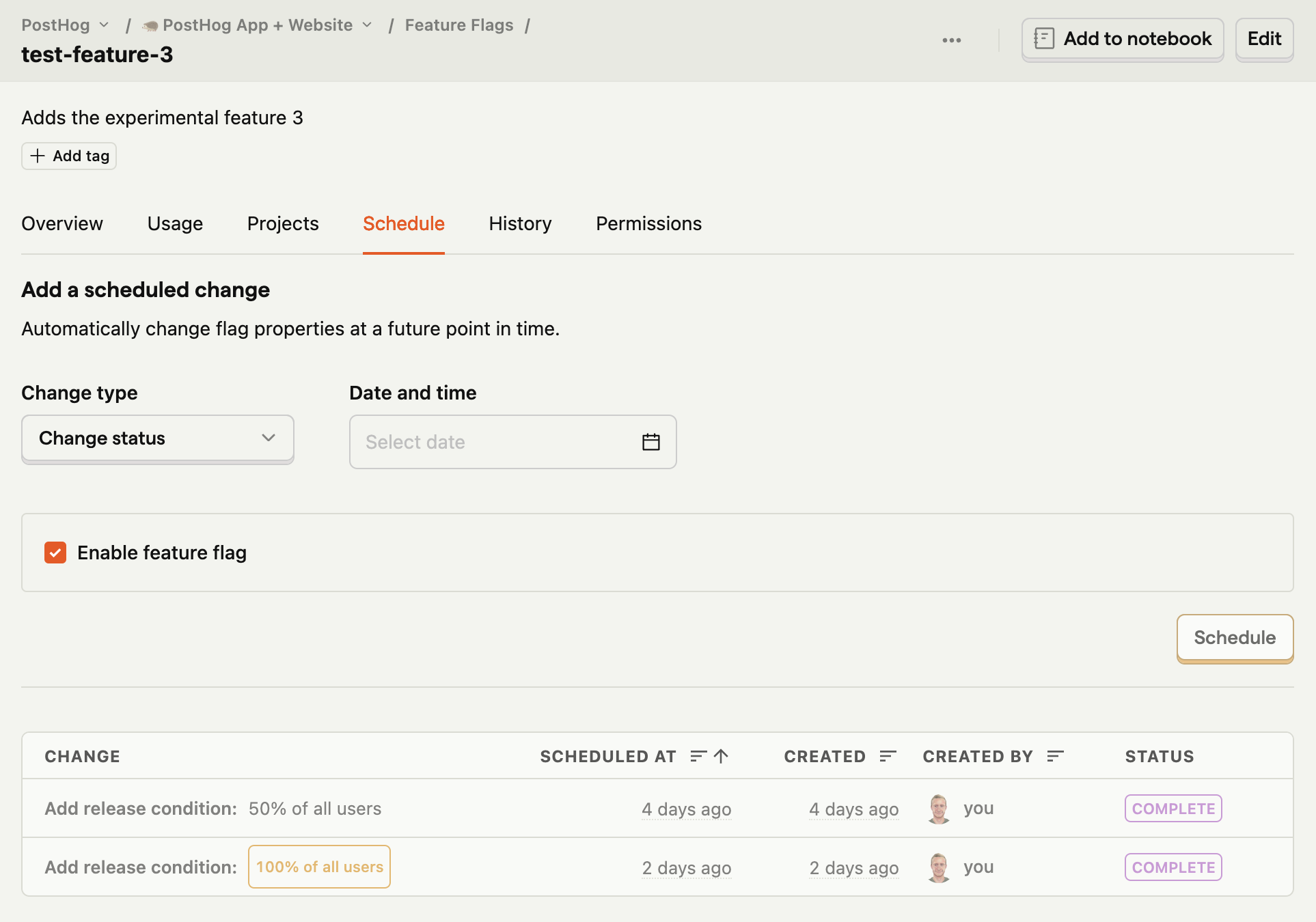
Scheduling feature flag changes enable you to automatically change flag properties at a future point in time. For example, you can schedule an initial release of a flag for internal testing, then enable it to the beta users group 2 days later, and finally, roll it out to 100% of the users in 2 weeks.
This is also useful if your releases fall outside normal working hours. For example, a ticket sale starting at midnight.
How to schedule a change:
- Navigate to the relevant feature flag.
- Select the
Scheduletab. - Under
Change type:- Select
Change statusif you want to enable or disable your flag at a scheduled time. - Select
Add conditionif you want to specify the rollout conditions of your flag at a scheduled time. - Select
Update variantsif you want to update the variants keys, descriptions, payloads, or rollouts.
- Select
- Select the
Date and timeof your scheduled change using the date picker. - Click
Schedule.
You can view the scheduled changes in the table at the bottom of the page.
PostHog is an all-in-one developer platform for building successful products. We provide product analytics, web analytics, session replay, error tracking, feature flags, experimentation, surveys, LLM analytics, data warehouse, a CDP, and an AI product assistant to help debug your code, ship features faster, and keep all your usage and customer data in one stack.